Version: 8.0
Date: 2026-01-28
Software Version: 2.0.5.0
Table of Contents
Preface
This is the user manual for Smart Symptom Check. Read this manual carefully before using Smart Symptom Check. Save this manual for later use.
 Electronic Instructions for Use
Instructions for use are available in manufacturer’s website. To display the instructions for use, Internet connection and Internet browser is required. Instructions for Use for Smart Symptom Check are compatible with the most commonly used Internet browsers (Google Chrome, Safari, Microsoft Edge, Samsung Internet, Firefox). It is recommended to use the most up-to-date version of the Internet browsers.
Manufacturer’s website: https://smartsymptomcheck.com/eifu
Website or Internet not Available
If website or Internet is not available, please contact the manufacturer by phone to request instructions for use in paper form.
Updates for instructions for use
Whenever a new version of instructions of use is released, it is placed to manufacturer’s website and all current customers are informed by email. All previous issued historical electronic versions of the instructions for use are available in the manufacturer’s website.
Printed Version
Please contact the manufacturer to request instructions for use in printed form at no additional cost. A paper version will be mailed at the latest within 7 calendar days of receiving a request from the user, or at the time of delivery of the device if so requested at the time when order is placed.
Symbols and Glossary
Symbols
This paragraph contains the descriptions of symbols in the device itself (label) and in the instruction for use document.
Information | Detail | Symbol |
|---|---|---|
Trade name | Smart Symptom Check | N.A |
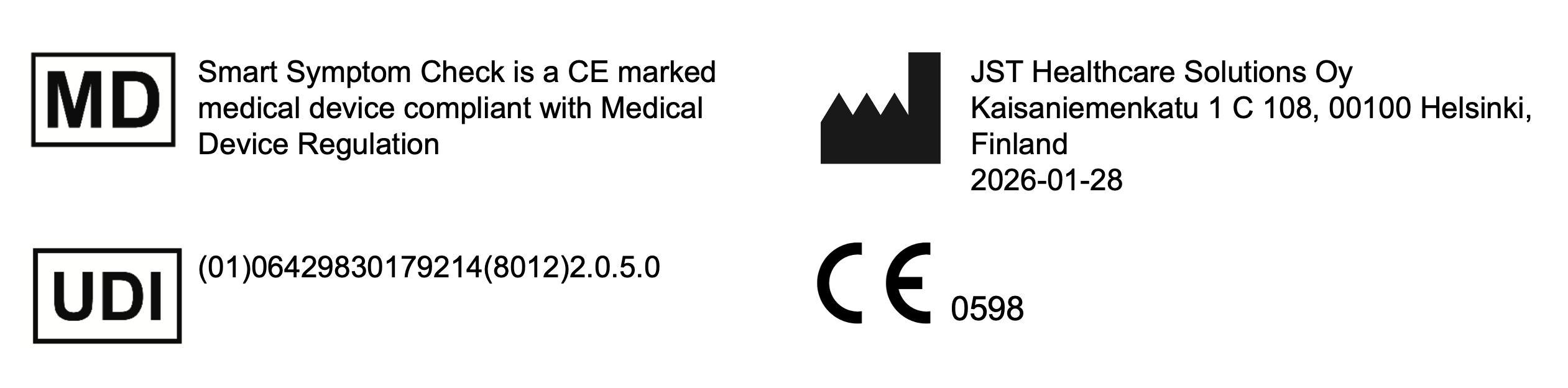
Medical Device | Smart Symptom Check is a CE marked medical device compliant with Medical Device Regulation. |  |
Manufacturer, Date of Manufacture | JST Healthcare Solutions Oy Kaisaniemenkatu 1 C 108, 00100 Helsinki, Finland 2026-01-28 |  |
UDI | (01)06429830179214(8012)2.0.5.0 |
 |
Caution | In a suspicion of severe or life-threatening situation, the user should contact the emergency services immediately. |  |
Instructions for use | Instructions for use (*”Instructions for use” is a text which links to manufacturer’s website URL where instructions for use can be accessed: http://www.smartsymptomcheck.com/eifu) | |
CE-mark, MDR 2017/745 Conformity, Notified body ID | 0598 |  |
Glossary
Patient: A person who uses healthcare services due to an illness or suspicion of an illness. In this user manual, a patient can also refer to a person who doesn’t have an official training in medicine or healthcare (lay person).
Healthcare Professional: A person who may provide medical treatment and advice based on formal training and experience.
User: A person using the software.
Customer Organisation: An organisation using the software that has integrated it into it's systems.
Triage : Assessment of the need for and urgency of treatment
Warnings
WARNING: This alert identifies hazards that may cause serious personal injury or death.
In a suspicion of severe or life-threatening situation, the user shall contact the emergency services immediately.
The software provides information and recommendations only based on the information received. The device cannot take into account other information that can affect decision-making. It is the user's responsibility to assess whether to use the information provided by the software in their decision-making.
CAUTION: Hazards that may result in minor personal injury, product damage, or property damage.
The software provides only health information and no diagnosis.
It is recommended to answer all the questions provided by the software. This will ensure that the report provided will be as comprehensive and accurate as possible.
Do not interrupt the software prematurely.
Follow the instructions provided by the software.
Software stops working or doesn’t work properly:
Healthcare Professional User: Stop using the software and instead contact the patient in some other way. Use other medical databases if needed. Send customer feedback or incident report regarding the situation.
Patient User: Stop using the software and contact a healthcare professional if some other way e.g. by calling. In a suspicion of severe or life-threatening situation contact the emergency services immediately. Send customer feedback or incident report regarding the situation.
Intended Use
The intended purpose of the Smart Symptom Check software is to drive the assessment of the need for treatment. Smart Symptom Check provides information to healthcare professionals and patients by generating a summary report on patient’s answers, of patient’s possible conditions, the clinical urgency and care path options appropriate to the situation.
Intended Users
Users who can act independently in health care according to the local legislation.
All healthcare professionals that make the assessment of the need for treatment or benefit from it being done before the patient arrives at the reception.
All patients who need the assessment for treatment or recommendation of urgency and health care professionals appropriate to the situation.
Intended Patient Population
Any patients with non-serious medical conditions that does not require an urgent intervention. Patients who can act independently in health care according to the local legislation. Other patients can use the device under their caretakers supervision.
Indications
The device can be used by anyone, including lay persons and healthcare professionals and who can act independently in health care according to the local legislation and are proficient in the languages available in the product.
The device can be used directly or indirectly, i.e. for other people (e.g. for children and elderly people).
No undesirable side effects concerning the safety of the users of Smart Symptom Check are expected to occur.
Contraindications
The device shall not be used by people who cannot act independently in health care or are not proficient in the lanquages available in the product.
The device shall not be used in case of acute, serious symptoms, life-threatening conditions or at risk of life. The device is not a first aid measure in an emergency.
The device is not intended to make diagnosis. A diagnosis requires an assessment by a healthcare professional.
The device may not be used
after serious accidents or in case of serious bodily injury, nor may it be used after the use of force by third parties.
for continuous disease monitoring
to change or discontinue a diagnosis or therapy recommendation already made by a healthcare professional.
The device does not
replace any psychological or physiological tests
issue medical or psychological certificates
recommend any medication and does not provide any dosage aids.
Expected Clinical Benefits
The expected benefits of Smart Symptom Check (a medical device software) are presented as clinical, safety and technical performance claims. The claims presented in this section were deemed fulfilled in the clinical evaluation conducted by the Manufacturer.
Clinical performance (a clinical benefit) claim:
Smart Symptom Check improves quality and efficiency of patient management by providing symptom summary report to healthcare professionals and by providing appropriate care path options and clinical urgency recommendations.
Safety performance claims:
Risks related to making a wrong recommendation or giving wrong information may not lead to serious harm.
Risks related to clinical urgency assessment may not lead to serious harm.
Use of Smart Symptom Check does not compromise integrity and confidentiality of personal data.
Use of Smart Symptom Check or a similar device does not cause any undesirable side effects.
Technical performance claims:
Smart Symptom Check creates a summary report on patient's answers.
Smart Symptom Check suggests possible clinical conditions with relevant clinical codes and terms.
Smart Symptom Check calculates the clinical urgency (triage) based on patient's answers, following a configurable rule-based logic.
Smart Symptom Check suggests care path options based on the patient's answers, following a configurable rule-based logic.
Smart Symptom Check provides structural data on symptoms and clinical codes.
Residual Risks and Side-effects
No residual risks and no undesirable side effects concerning the safety of the users of Smart Symptom Check are expected to occur. Please see Warnings.
General Description
The device provides a questionnaire to the user and based on the answers builds a report including the possible conditions, assessment of the need for treatment, urgency and care path options appropriate to the situation.
Environment of Use
Smart Symptom Check is a web-based application and can be accessed via a computer or mobile device with adequate performance for web browsing. When using the software online, a stable Internet connection is also required.
Smart Symptom Check is compatible with the most commonly used web browsers (Google Chrome, Safari, Microsoft Edge, Samsung Internet and Firefox). Regardless of the Internet browser used, it is strongly recommended to use the latest version. Lowest supported versions are listed in the table below.
Internet browser | Lowest supported version |
|---|---|
Google Chrome | 120 |
Safari | 17 |
Microsoft Edge | 120 |
Mozilla Firefox | 120 |
Samsung Internet | 18 |
Getting Started
Please refer to previous chapter “Environment of use” for preferred use environment. The software can be used by both patients and healthcare professionals. Training is recommended only for healthcare professional users. For more information, please visit the manufacturer’s website.
Installation
Smart Symptom Check can be integrated to customer organisation’s systems using SaaS or on-premises approach. Please contact the manufacturer for installation and maintenance instructions.
Using the Device
Use of Smart Symptom Check starts in the Patient Information Page. Here, age, gender, and reason for contact (symptoms) need to be filled in. Age and gender can also be automatically provided to the software by the customer organisation if the identity of the user has been authenticated already. In this case, the user only has to fill in the reason(s) for contact. This is done using a search field with label “Symptoms”. When using the search field to search for reasons for contact, the software offers search terms based on predictive text input, from which the user selects the most appropriate option(s). The user may select more than one keyword as the reason for contact.
Once age, gender, and reason(s) for contact have been entered, pressing the Next button will take the user to the Questionnaire Page. Here, a pre-selected set of preliminary questions is shown. The user answers the questions using the Yes, No, or Don’t know buttons. The software may ask for additional information related to a specific answer, either in free-form or multiple-choice format. In certain cases the user may be automatically guided to external medical device, namely EBMEDS, in case the organization has enabled the use of this functionality. The EBMEDS label information is presented to the user in the UI.
After all displayed questions have been answered, the user presses the Next button. The software will then determine whether further questions are necessary or if the user is forwarded to the Summary Report Page.
The software continues to ask questions dynamically, adapting to the user's responses. When no further questions are required, the user proceeds automatically to the Summary Report Page. If allowed, users can choose to end the survey early by pressing the Go to summary button. Visibility of this button is determined by organisation specific settings and possibility of ending the survey early is targeted only for healthcare professional users. Completing the entire survey ensures the final report is more comprehensive and accurate.
Once the questions are answered, the user proceeds to the Summary Report Page. The software generates a report that includes a summary text, from which the user can double-check that the answers are correct. Users can also go back and edit their answers by pressing the Change your answers button. For healthcare professionals, the Copy Summary button can be made visible for easy transfer of the summary into the patient record system.
The Start over button, available on the summary page for healthcare professionals, returns the user to the beginning. After pressing this button, the user cannot go back to the summary or previously answered questions. The Stop button stops the session and returns the user to the start, clearing all entered data.
Depending on the situation, the report may provide additional information. It’s important to note that the Smart Symptom Check provides recommendations and additional information solely based on the data collected during the survey. It does not consider all factors that could influence the user's decision-making. Therefore, it is the user's responsibility to evaluate how the provided information aligns with their own decision-making process. The software only provides health information, not diagnoses. In all cases, patients are advised to be evaluated by a healthcare professional, whether through a remote consultation, a face-to-face visit or by calling a healthcare professional.
In case EBMEDS functionality is enabled the user may receive self-care instructions and is not automatically forwarded to healthcare professional’s evaluation.
Notice to User
Any serious incident that has occurred in relation to the device should be reported to the manufacturer and the competent authority of the Member State in which the user and/or patient is established. The manufacturer information is shown in the label in the user interface.
Errors Conditions
The software stops working or does not work correctly:
Ensure that your device and internet connection are functioning properly.
If the website appears stuck or unresponsive, refresh the page by clicking the "Reload this page" button in your internet browser. If you have already entered information into the software, securely store it elsewhere, in compliance with data privacy and security guidelines, as the information may be lost during the refresh.
If the problem persists, try logging in again. Be sure to securely store any entered information elsewhere before logging out, following data privacy and security protocols, as the information may be lost upon logout.
If the problem persists despite the above measures:
Healthcare Professional User: Stop using the software and instead contact the patient in some other way. Use other medical databases if needed. Send customer feedback or incident report regarding the situation.
Patient User: Stop using the software and contact a healthcare professional if some other way e.g. by calling. In a suspicion of severe or life-threatening situation contact the emergency services immediately. Send customer feedback or incident report regarding the situation.
Problems regarding technical integration of the software:
Please contact the manufacturer.
Service and Maintenance
Software Updates
New software versions are updated to SaaS environment by the manufacturer and does not require any actions from the user.
Smart Symptom Check can be integrated to customer organisation’s systems using SaaS or On-premises approach. Please contact the manufacturer for more information regarding integration and software updates.
Uninstallation and Safe Disposal of the Device
There are no special uninstallation requirements for patient or healthcare professional users, the closing of the browser stops the device use. If Smart Symptom Check is integrated to customer organisation’s system, please contact the manufacturer for more information regarding uninstallation of Smart Symptom Check.
Technical Specifications
Standards of which requirements are taken into account when manufacturing the device
Smart Symptom Check is in conformity with the relevant Union harmonization legislation and harmonised standards:
(EU) 2017/745
EN ISO 13485:2016/A11:2021
EN ISO 14971:2019/A11:2021
EN ISO 15223-1:2021.Other standards that have been used for Smart Symptom Check
IEC 62304:2006/A1:2015
EN 82304-1:2017
EN 62366-1:2015/A1:2020
EN ISO 20417:2021
EN ISO/TR 20416:2020
Expected lifetime 5 years
Basic UDI-DI 64298301792JSTSSYMPTOMCFK
Contact
Name of the device: Smart Symptom Check
Further contact details:
Email: contact@jsthealthcaresolutions.com
Phone: +358503662202
Actor SRN in EUDAMED: FI-MF-000011817